
Arrived next day, easy to apply once you remove the side plate
There's a section already there once you take the side plate off, just stuck the sticker straight on, replaced the side-plate and now i've got a retro looking PS5.
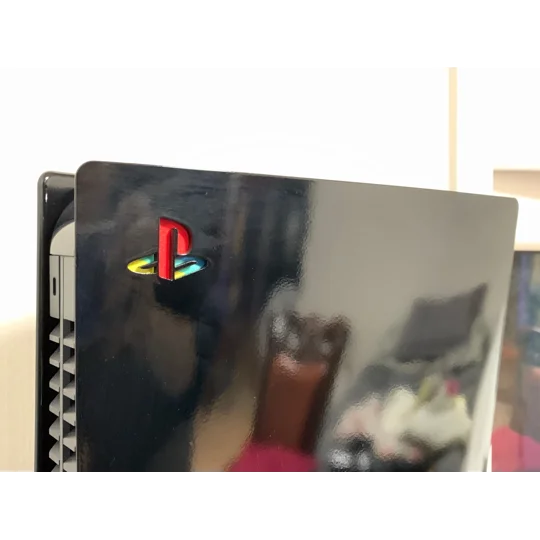
- INSTRUCTIONS - 1) Take off the left side plate of the console 2) If the sticker area is dirty, wipe the area with a cleaning wipe, ensure it is fully dry after 3) Apply the sticker to the logo section 4) Push to remove any air bubbles 5) Replace the side plate
| Title | PS5 Decal Sticker - Logo Retro Style - Vinyl |
|---|---|
| Category | |
| SKU | W9XMHLN |
| Condition | new |
There's a section already there once you take the side plate off, just stuck the sticker straight on, replaced the side-plate and now i've got a retro looking PS5.
There's a section already there once you take the side plate off, just stuck the sticker straight on, replaced the side-plate and now i've got a retro looking PS5.
Conor · 2021-10-17
Your new home for all things gaming. Get your consoles, games, accessories and custom controllers at great prices with fast & friendly customer support.
Retreat to The Game Sanctum™